
Does Claude have memory? What it remembers and what it can't carry
What Claude remembers, where it is stored, how to edit it, and what it cannot carry to other tools, as of November 2026.
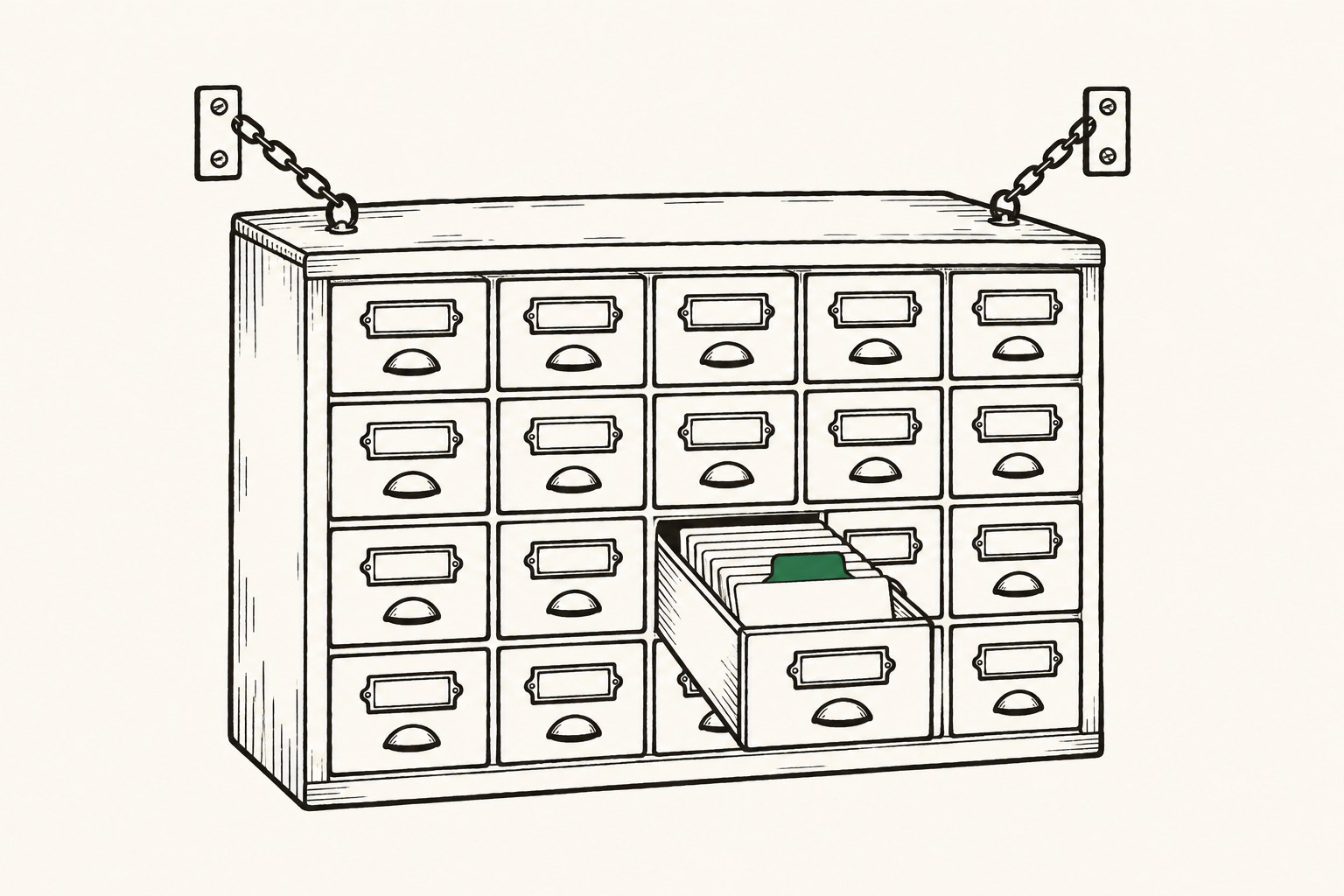
Yes, as of November 2026 Claude has memory in the claude.ai app (web, desktop, mobile), on by default for Free, Pro, Max and Ultra plans. It remembers topics from past chats (your role, projects, preferences), and you can read, edit or delete them in Settings > Your Claude. But the memory belongs to one account inside one app. Other tools (Claude Code, Codex, Cursor) and your teammates' accounts cannot read it, so it cannot keep a fleet of agents in step.
How does Claude memory work?
Claude's memory saves individual topics during chats, rather than summaries written after the conversation. It keeps your role, projects and ongoing work, people and places in your work, and your communication, working-style and coding preferences.
Sensitive topics (health, religion, politics and similar) are left out by default, and you can opt in. Some things are never saved: government ID numbers, financial account numbers, criminal history and immigration status. It holds the context of one person only. It has no view of what your teammates or your other agents are doing.
Where is Claude memory stored, and how do I view and edit it?
Claude memory is held by the service on your Claude account, not as a file on your computer. It is included in your data export.
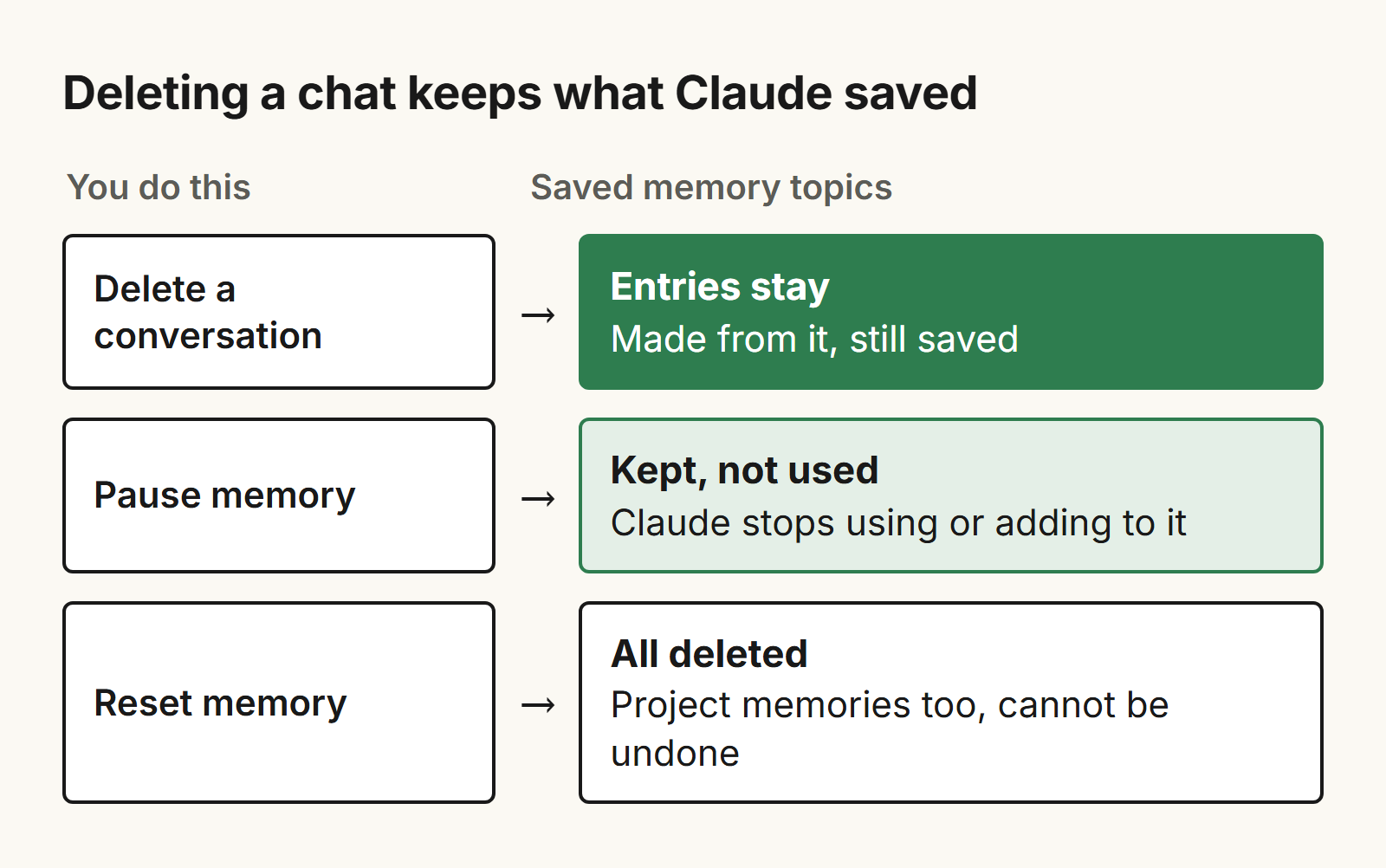
To view or edit it, go to Settings > Your Claude (Settings > Memory in the older layout) and select Manage next to Your memory. Click a topic to read it, the edit icon to change it, or Delete to remove it. You can also tell Claude in chat to remember, change or forget something. Pause memory keeps what is saved but stops Claude using or adding to it. Reset memory permanently deletes everything, project memories included, and cannot be undone.
Does Claude remember previous conversations?
Two separate features do this: memory (saved topics) and chat search, where Claude looks through your past chats when you ask and links back to them. Chat search is on Pro, Max, Ultra, Team and Enterprise plans.
Deleting a conversation does not delete the memory entries made from it. An incognito chat (the ghost icon on a new chat outside a project) is not saved to memory or history. You can also switch Memory off for a single chat in the + menu before the first message; it cannot be changed after the chat starts. So a decision made in a chat can be found only by the person who had that chat.
How does Claude memory work in Projects?
Each Project has its own memory. Inside a Project, Claude uses that project's memory plus your memory from chats outside projects, but not the memory of other projects. To separate a project completely, turn off "Use account memory" on the project's page.
A Project also holds files and instructions you add by hand, which is context you control. It helps one account keep one workstream straight. It does not push that context to agents in other tools.
Which plans have the Claude memory feature?
As of November 2026, memory is on by default for Free, Pro, Max and Ultra. On Team and Enterprise, owners decide whether memory is available, and it stays off for each member until they turn it on. Owners cannot turn it on for individual users or view and edit anyone's memories, and the new memory experience is not available to organizations with HIPAA or public-sector agreements.
For a founder, that means each person's memory stays private to them. It cannot be your team's shared record. Chat search needs a paid plan (Pro, Max, Ultra, Team or Enterprise).
Does Claude have memory like ChatGPT?
ChatGPT has its own memory feature too. What matters more is that each assistant's memory lives inside its own app and account.
You can import memory from another assistant into Claude: copy a prompt into the other assistant, then paste the answer into Settings > Your Claude > Start import. It is experimental, and Claude may not keep personal details unrelated to work. Anthropic's import page covers pasted memory text only, not conversation history. The import is a one-time copy, so there is no sync between the tools.
What can't Claude memory carry to other tools?
Claude's app memory cannot be read by Claude Code, ChatGPT, Cursor or Codex. You can get it out only as text: view it in Settings, or ask Claude to write its memories out verbatim and paste them elsewhere.
With several agents, each ends up with its own notes: the claude.ai memory, Claude Code files on each machine, Cursor rules in each repo. If you are one person using only claude.ai, you don't need anything more. If several agents and a few people need the same context, Substrate (trysubstrate.co) is one option: a memory your people can read and edit and your agents recall, connected to Claude Code, Cowork, Codex, claude.ai, Cursor and, on plans that allow custom MCP connectors, ChatGPT. You can share a page with named people by email invite, view-only, and revoke it.
Claude Code memory
Claude Code does not use the claude.ai memory. It has CLAUDE.md files you write, and auto memory that Claude writes itself.
A project CLAUDE.md (./CLAUDE.md or ./.claude/CLAUDE.md) is shared with your team through version control. CLAUDE.local.md is personal and not committed, and ~/.claude/CLAUDE.md is yours across projects. Auto memory is plain markdown in ~/.claude/projects/<project>/memory/, with MEMORY.md as the index; its first 200 lines or 25KB load at the start of every session. It is machine-local, so it is not shared across machines or cloud environments. The main conversation's auto memory is not loaded into subagents, except a fork, and a subagent with the memory field gets its own separate directory. Run /memory to list and open these files. A full guide follows in Claude Code memory.
MCP memory
The Claude API has a memory tool: Claude asks to view, create, edit, delete or rename files under /memories, and your own application runs those operations on storage you control. So that memory lives in your app, one per application you build.
MCP is the protocol that lets Claude connect to outside tools and data. An MCP server can offer memory tools that many clients use. claude.ai, Claude Code and Cursor can all connect to MCP servers, so memory kept behind one server is not tied to one app, and one agent can read what another wrote. A full guide follows in MCP memory.
Cursor memory
Cursor does not read Claude's memory. It keeps context in rules: Project Rules in .cursor/rules as .mdc files, User Rules in settings, Team Rules from the dashboard, and AGENTS.md in the project root and subdirectories.
By default Claude Code reads AGENTS.md only when there is no CLAUDE.md or CLAUDE.local.md in the working directory or above it; to use both, import AGENTS.md from CLAUDE.md. One AGENTS.md in the repo is the simplest way to give Cursor and Claude Code the same project instructions. A full guide follows in How to share context between Claude and Cursor.
Sources, checked November 2026: Claude help center: chat search and memory, import and export memory, Claude Code memory docs, API memory tool, Cursor rules.
Frequently asked questions
Does Claude have memory?
Yes, in the claude.ai app as of November 2026 you can save topics, then read, edit or delete them in Settings > Your Claude. Claude Code has separate files for that: CLAUDE.md and auto memory.
Is Claude memory on by default?
Yes, for Free, Pro, Max and Ultra. On Team and Enterprise it is off for each member until they turn it on. Pause memory stops Claude using and adding to it, and Reset memory deletes all data permanently.
Can I export Claude's memory to another tool?
Only as text: look at it in Settings, or ask Claude to write out its memories and copy them. It is also in the data export. Importing from other assistants is experimental and a one-time copy, with no automatic sync.
Does deleting a chat delete Claude's memory of it?
No. Memory entries created during a conversation stay when you delete the conversation. To remove them, go to Settings > Your Claude or reset your memory.