
How does memory work in Claude Code?
How Claude Code memory works: CLAUDE.md levels and load order, auto memory, imports, what survives /compact, and how to keep it useful as you grow.
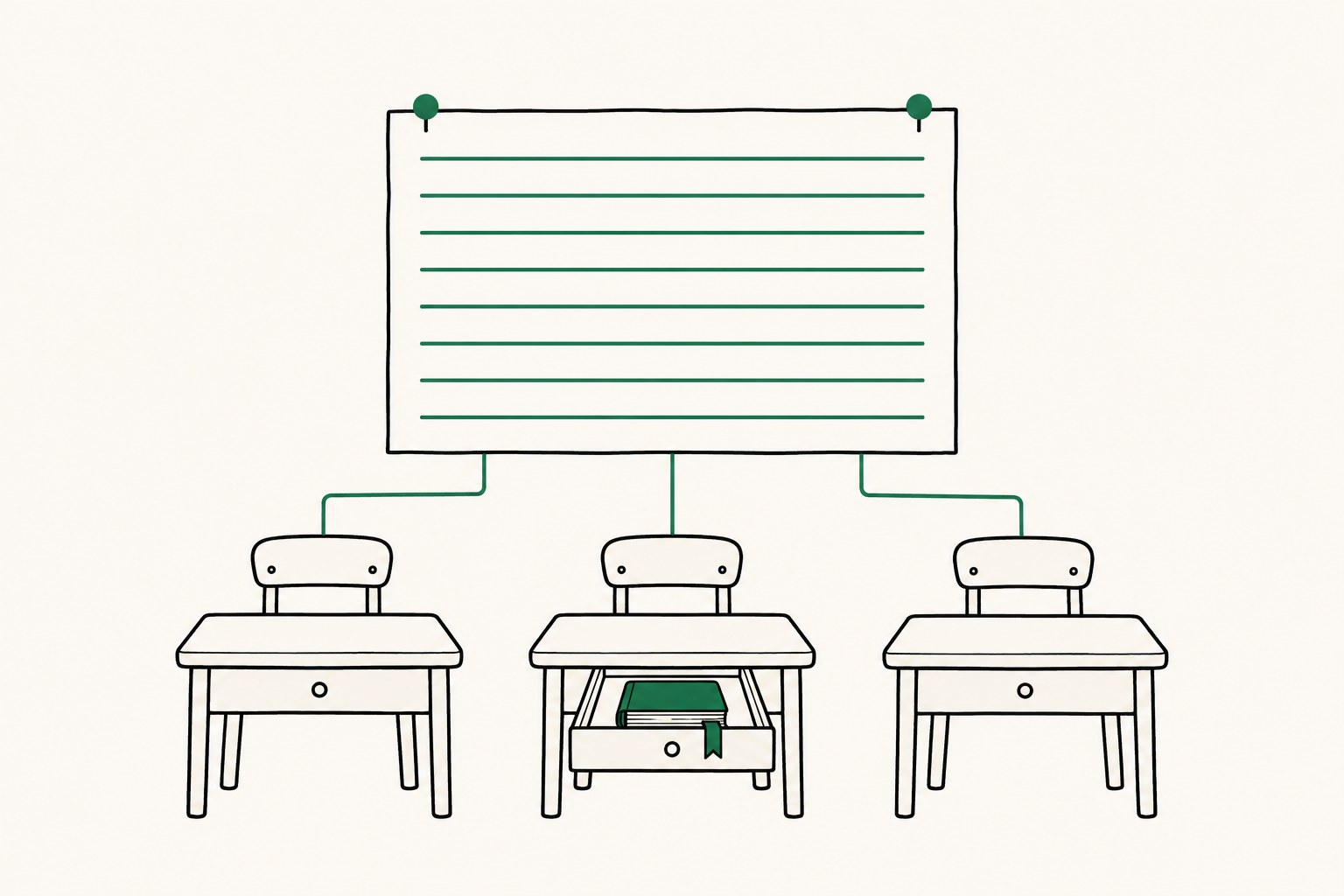
Claude Code has two memory systems: CLAUDE.md files that you write and commit to git, and auto memory, where Claude writes notes for itself on one machine. At the start of every session, each agent gets a fresh context window and both are loaded into it. The CLAUDE.md in your repository is the only part that your whole team and every agent on a checkout will read. Auto memory stays on the machine that wrote it.
It is important to remember that both are context, not enforced rules. If you want to be absolutely sure that Claude does not do something, use a PreToolUse hook. One more thing about CLAUDE.md: it survives /compact, because Claude re-reads the file from disk. Anything you said only in the chat does not. This was checked against the Claude Code docs, as of November 2026.
How does Claude Code memory work?
CLAUDE.md holds instructions and rules, written by a person. Auto memory holds learnings and patterns that Claude writes itself while it works. The project CLAUDE.md is part of the repository, so the whole team can review it. Auto memory is not part of the repository and is unique to each user and each machine.
| CLAUDE.md files | Auto memory | |
|---|---|---|
| Who writes it | You | Claude |
| What it holds | Instructions and rules | Learnings and patterns |
| Scope | Org, user, project | One repository, shared across its worktrees |
| Loaded at start | Whole file | First 200 lines or 25KB of MEMORY.md |
CLAUDE.md is sent as a user message right after the system prompt, so there is no guarantee that Claude follows every line. It is worth adding something to CLAUDE.md if Claude makes the same mistake twice, or if a new teammate would need the same context.
Where do CLAUDE.md files live, and in what order do they load?
There are four places, listed here from the broadest scope to the most specific:
| Scope | Location |
|---|---|
| Managed policy (organization) | Linux and WSL: /etc/claude-code/CLAUDE.md. macOS: /Library/Application Support/ClaudeCode/CLAUDE.md. Windows: C:\Program Files\ClaudeCode\CLAUDE.md |
| User (all your projects) | ~/.claude/CLAUDE.md |
| Project (shared in git) | ./CLAUDE.md or ./.claude/CLAUDE.md |
| Local (just you, this project) | ./CLAUDE.local.md |
Claude Code reads the CLAUDE.md and CLAUDE.local.md files in the current working directory and all directories above it. It concatenates them into one context rather than overriding earlier instructions. The order is from the filesystem root down to the current directory, so the file closest to where you launched Claude is read last. Within each directory CLAUDE.local.md comes after CLAUDE.md. Add CLAUDE.local.md to your .gitignore.
CLAUDE.md files in subdirectories are not loaded at launch. They load on demand, when Claude reads or edits a file in that subdirectory.
If you give conflicting instructions in different files, Claude may pick either one. That is easy to hit when you have an organization file, a more specific one for your team, and another in the repository. Organizations can deploy a managed CLAUDE.md that individual developers cannot exclude.
To check what loaded, run /context all and look under Memory files, or run /memory.
How do @imports and .claude/rules work?
You can import other files into a CLAUDE.md with @path/to/file. A relative path is resolved from the file that contains the import, and imports can go four hops deep at most. Imports help you organize a long file, but they do not save context, because the imported files load with the main file.
See @README for project overview and @package.json for npm commands.
- git workflow @docs/git-instructions.md
For bigger projects, put one topic per markdown file in .claude/rules/. A rule without a paths field in its frontmatter loads when Claude starts. A rule with paths loads only when Claude works with a matching file:
---
paths:
  - "src/api/**/*.ts"
---

- All API endpoints must include input validation
If your repo has an AGENTS.md for other agents and no CLAUDE.md, Claude reads AGENTS.md. If you have both, reference AGENTS.md at the top of your CLAUDE.md with @AGENTS.md. This way one file serves every agent.
What is Claude Code auto memory, and where is it stored?
Auto memory is on by default in local sessions. Claude keeps four kinds of notes: user (your role and preferences), feedback (corrections you give it), project (ongoing work and decisions it cannot derive from the code) and reference (where to find things outside the project). It skips what it can get from the code, or what your CLAUDE.md already says. It does not save something every session.
The notes for a project are stored in ~/.claude/projects/<project>/memory/:
~/.claude/projects/<project>/memory/
├── MEMORY.md           # index, one line per memory, loaded every session
├── user_role.md        # one memory
└── feedback_testing.md # one memory
When you start a new conversation, the first 200 lines or 25KB of MEMORY.md (whichever comes first) are loaded into Claude's context. The topic files are read on demand, when Claude needs them.
All worktrees and subdirectories of the same git repository use the same folder, so agents working in different worktrees see the same notes. The memory is local to your machine. It is not shared with other machines or cloud environments, and a teammate's Claude will never see what yours learned. The files are plain markdown, so you can edit or delete them like any other file.
To turn it off, use the toggle in /memory, set autoMemoryEnabled to false in settings.json, or set CLAUDE_CODE_DISABLE_AUTO_MEMORY=1.
Claude Code context management: what survives a new session, /clear and /compact?
A new session reloads CLAUDE.md and auto memory. It does not include the history of the old conversation unless you resume it. /clear starts with an empty context. The previous session is saved, and you can come back to it with /resume.
When a long session compacts, here is what happens to each kind of content (from the Claude Code docs, as of November 2026):
| Loaded as | After /compact |
|---|---|
Project-root CLAUDE.md, rules without paths | Re-injected from disk |
| Auto memory | Re-injected from disk |
Nested CLAUDE.md in subdirectories | Reloaded on demand |
Rules with paths: frontmatter | Reloaded on demand |
| Files Claude read or edited | Up to five re-read, most recently modified first |
| Instructions you gave only in chat | Summarized with the rest of the conversation |
What could be lost is an instruction you gave only in the conversation. If you want an agent to keep something for a long time, put it in CLAUDE.md instead of telling it in the chat. A file over 5,000 tokens comes back as a path reference, not its content.
You can also steer the summary:
/compact focus on the auth bug fix
How do I resume a session in Claude Code?
Run claude --continue to reopen the most recent session in the current directory. Run claude --resume to open a session picker, or claude --resume <name> if you know the name. Inside a session, /resume switches to another one. Name sessions with claude -n auth-refactor or /rename, which helps when you run several at once.
When you resume, the conversation history is restored. If it was compacted, you continue from the last summary, and the model is restored too. Flags such as --mcp-config and --add-dir are not restored, so pass them again. Sessions started with claude -p or the Agent SDK do not show in the picker and are skipped by claude --continue. To resume one, pass its session ID:
claude --resume <session-id>
Transcripts are saved as .jsonl files in ~/.claude/projects/<project>/ and are cleaned up after 30 days by default (cleanupPeriodDays). A resumed session is a transcript, not memory. If you want Claude to know a fact next month, put it in CLAUDE.md or let auto memory keep it.
How do I keep a fleet of Claude Code agents in step?
Subagents do not inherit the main conversation's auto memory, but they do load your CLAUDE.md files (the built-in Explore and Plan agents skip them). The exception is a fork, which inherits the parent conversation. A subagent can keep its own auto memory with the memory field in its definition.
Worktrees of one repository share the same auto memory. A gitignored CLAUDE.local.md only exists in the worktree where you created it. To use the same personal instructions in every worktree, import a file from your home directory:
- @~/.claude/my-project-instructions.md
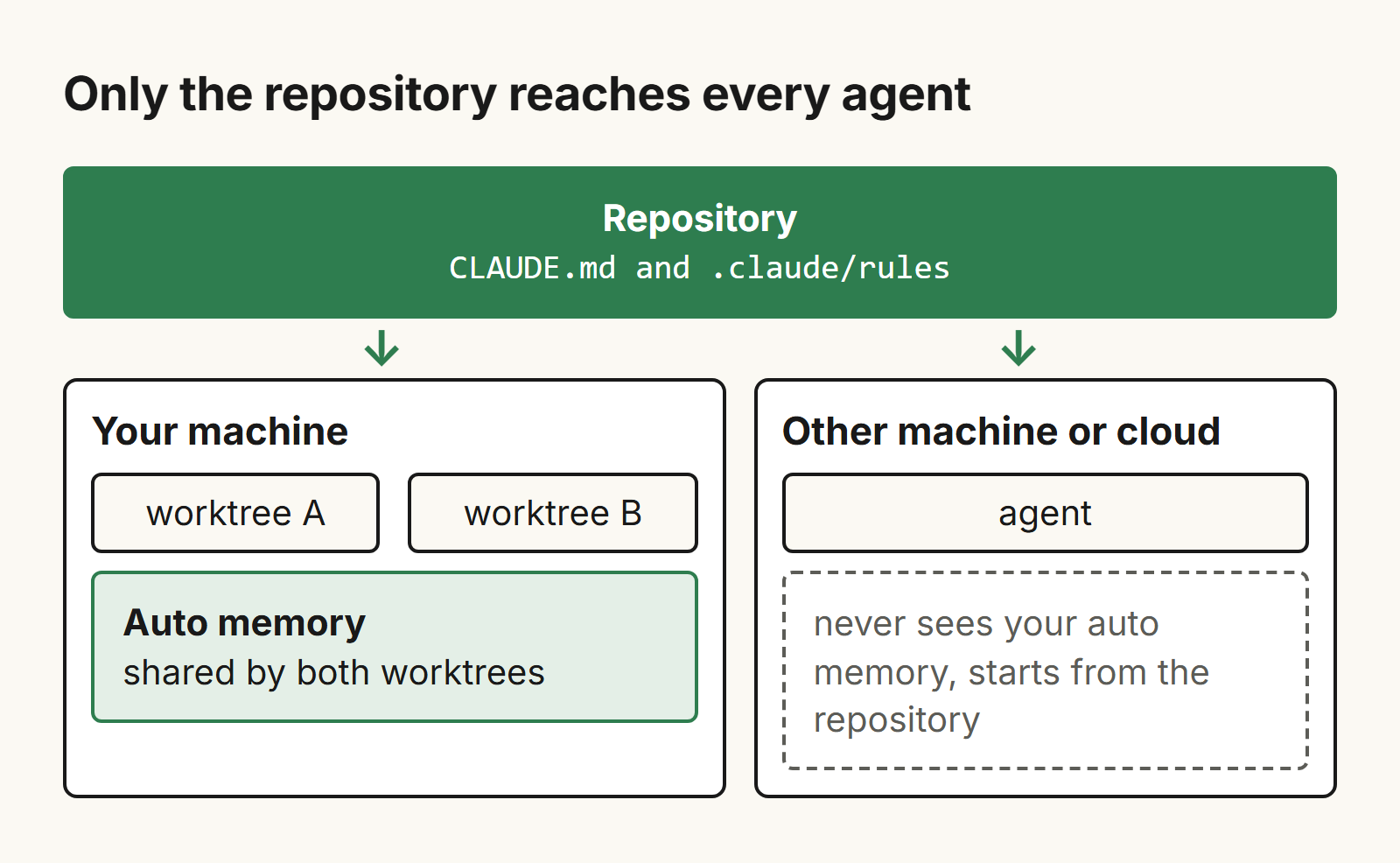
Outside Claude Tag sessions, a session in a self-hosted environment runs with auto memory off by default. So if you want to run a fleet of agents, you should include the instructions they all need in the committed CLAUDE.md or .claude/rules, rather than relying on the auto memory of a specific agent. Agents on other machines or in the cloud start from whatever is in the repository.
If the shared instructions live in another folder, --add-dir gives Claude access to it, and an environment variable loads its CLAUDE.md files too:
CLAUDE_CODE_ADDITIONAL_DIRECTORIES_CLAUDE_MD=1 claude --add-dir ../shared-config
How do I keep Claude Code memory useful as the project grows?
Keep each CLAUDE.md under 200 lines. Longer files use more context and Claude follows them less reliably. Be specific: instead of "test your changes", write "Run npm test before committing".
Split by where it matters. Put instructions that matter for only part of the codebase into .claude/rules/ with a paths field. Put a multi-step procedure into a skill, so you do not repeat the steps each time.
Audit now and then. Run /doctor prompt-audit (Claude Code v2.1.283 or later) to find outdated or conflicting instructions. Skim /memory and delete stale auto memory entries, and keep MEMORY.md to one line per entry.
Leave notes for people. Block-level HTML comments in CLAUDE.md are stripped before the content is sent to Claude, so you can leave notes for other maintainers.
Use claudeMdExcludes in a monorepo if you do not want Claude to load other teams' CLAUDE.md files.
Use a hook for what must always happen. A CLAUDE.md line is context. A hook runs every time.
When is Claude Code memory not enough?
Auto memory is for Claude Code, on one machine, for one person. If your team and your agents also work in Codex, Cursor, ChatGPT or claude.ai, each of them starts from its own memory. Teammates who are not reading the repo get none of it.
Substrate (trysubstrate.co) is one memory that both people and agents can read and edit. Agents like Claude Code, Codex and Cursor recall it, and so can ChatGPT on plans that allow custom MCP connectors. In Claude Code it installs as a plugin: claude plugin marketplace add Substrate-memory/Substrate-memory-plugins, then claude plugin install substrate-claude@substrate-marketplace and /reload-plugins, and you approve once in your browser. If you are choosing a memory server, see MCP memory. You can share a page with named people by email invite, view-only, and revoke it at any time. A person approves or revokes each agent connection. Substrate can also read Gmail and Notion (read-only) and uploads. It costs $20 per month, with a 7-day trial and no card needed. Details are at trysubstrate.co.
If you work alone in Claude Code on one machine, CLAUDE.md and auto memory are enough.
Frequently asked questions
How do I continue a conversation in Claude Code?
Run claude --continue to reopen the most recent session in the current directory. Run claude --resume to pick from a list, or claude --resume <name> if you know the session name. Inside a session, /resume switches to another one. The conversation history is restored; if it was compacted, you continue from the last summary.
Does Claude Code remember previous conversations?
Not the conversation itself. Each session starts with a fresh context window. What carries over is CLAUDE.md and auto memory, both loaded at the start of every session. To get a previous conversation back you have to resume it, and transcripts are deleted after 30 days by default.
Where is Claude Code memory stored?
CLAUDE.md files live in your repo (./CLAUDE.md or ./.claude/CLAUDE.md), in ~/.claude/CLAUDE.md for all your projects, and in ./CLAUDE.local.md for personal project notes. Auto memory is stored in ~/.claude/projects/<project>/memory/, with a MEMORY.md index, and is local to your machine.
How do I turn off Claude Code auto memory?
Open /memory and use the auto memory toggle. You can also set autoMemoryEnabled to false in settings.json, or set the environment variable CLAUDE_CODE_DISABLE_AUTO_MEMORY=1.
Does CLAUDE.md survive /compact?
Yes. The project-root CLAUDE.md is re-read from disk after compaction. Nested CLAUDE.md files and rules with paths frontmatter reload on demand. Instructions you gave only in the conversation can be lost, so write them into CLAUDE.md.
Related posts
How to share context between Claude and Cursor
Claude Code and Cursor share no chat history. See what they do share, with file paths, and a ten-minute setup for teams running many agents.
MCP memory: what it is, how to set it up, how to choose
What an MCP memory server is, real Claude Code and Cursor config for the official one, and how it compares with four alternatives.
Codex vs Claude Code: which should you use, and how do you use both?
Codex vs Claude Code as of November 2026: plans, AGENTS.md vs CLAUDE.md, MCP config, memory, and how to run both on one project.