
Claude vs ChatGPT: which is better?
ChatGPT is the safer default, Claude is stronger for writing and long documents. The part nobody covers: carrying context between them.

If you are a founder managing a small team and a lot of AI agents, the answer is not clear-cut. As of November 2026, most comparisons say ChatGPT is the better all-rounder, while Claude is better for writing, long documents and coding. The top spot keeps moving, so any answer is a snapshot. If you run a fleet of agents you will likely use both, and the real question is how they share context, which neither assistant explains.
Claude vs ChatGPT for everyday use
For everyday use, ChatGPT is the safer default, and Claude is the one people use for writing and long documents. Similarweb's August 2026 update shows ChatGPT with 55.5% of generative AI website visits, followed by Gemini with 25.6% and Claude with 9.3% (website visits only, not apps or API usage).
The most practical way to think about it is to split by job, not by brand: ChatGPT as the default, Claude for the tasks it excels at, like writing. The drawback is that each assistant has its own memory, so every switch starts with re-warming the context.
Claude vs ChatGPT for business
For a small team, which model you choose matters less than who can see what the assistants know. Claude's memory is per person. In Claude Team and Enterprise plans, the owner decides whether memory is available, and it stays off for each member until they enable it. Owners cannot view or edit members' memories (Claude help center). ChatGPT Business and Enterprise workspaces cannot use the standard data export that OpenAI offers (OpenAI help center).
So the context your agents and your teammates rely on ends up spread across many private places. Check the admin controls of the plan you choose.
Does the better assistant keep changing?
Yes at the top of the benchmarks, but not in usage. Artificial Analysis released Intelligence Index v5 on 27 October 2026, with most of the index now built on private datasets. On 28 October Gemini 4 Carbon became first, ahead of Claude Opus 5.5 (59 and 58 in a snapshot from 29 October, per Token360). The index was rebuilt in the same week, so scores from before and after are not comparable, and a one-point gap says little about your own work. In actual usage, ChatGPT stayed the most used as of August 2026 (Similarweb). For a fleet, the takeaway is not to build your context around whoever is winning this month. Otherwise you will be tempted to rebuild your setup every time a new model takes the lead.
How do you carry context between Claude and ChatGPT?
By hand, today. To move ChatGPT memory into Claude, run the import prompt from Anthropic's help page in ChatGPT and copy what it writes. Then in Claude go to Settings > Your Claude, click "Start import", paste it and click "Add to memory" (Anthropic help center). Anthropic calls memory import experimental and says Claude may not keep everything.
To go the other way, you can ask Claude to write out its memories verbatim, then move them to another service. ChatGPT also has a data export under Settings > Data controls. It is a ZIP with your chat history, it can take up to 7 days to arrive, the link is valid for 24 hours, and it is not available for Business and Enterprise workspaces.
That is one memory, one person, one direction. It scales poorly with several agents and teammates, and the copy is stale as soon as you keep chatting.
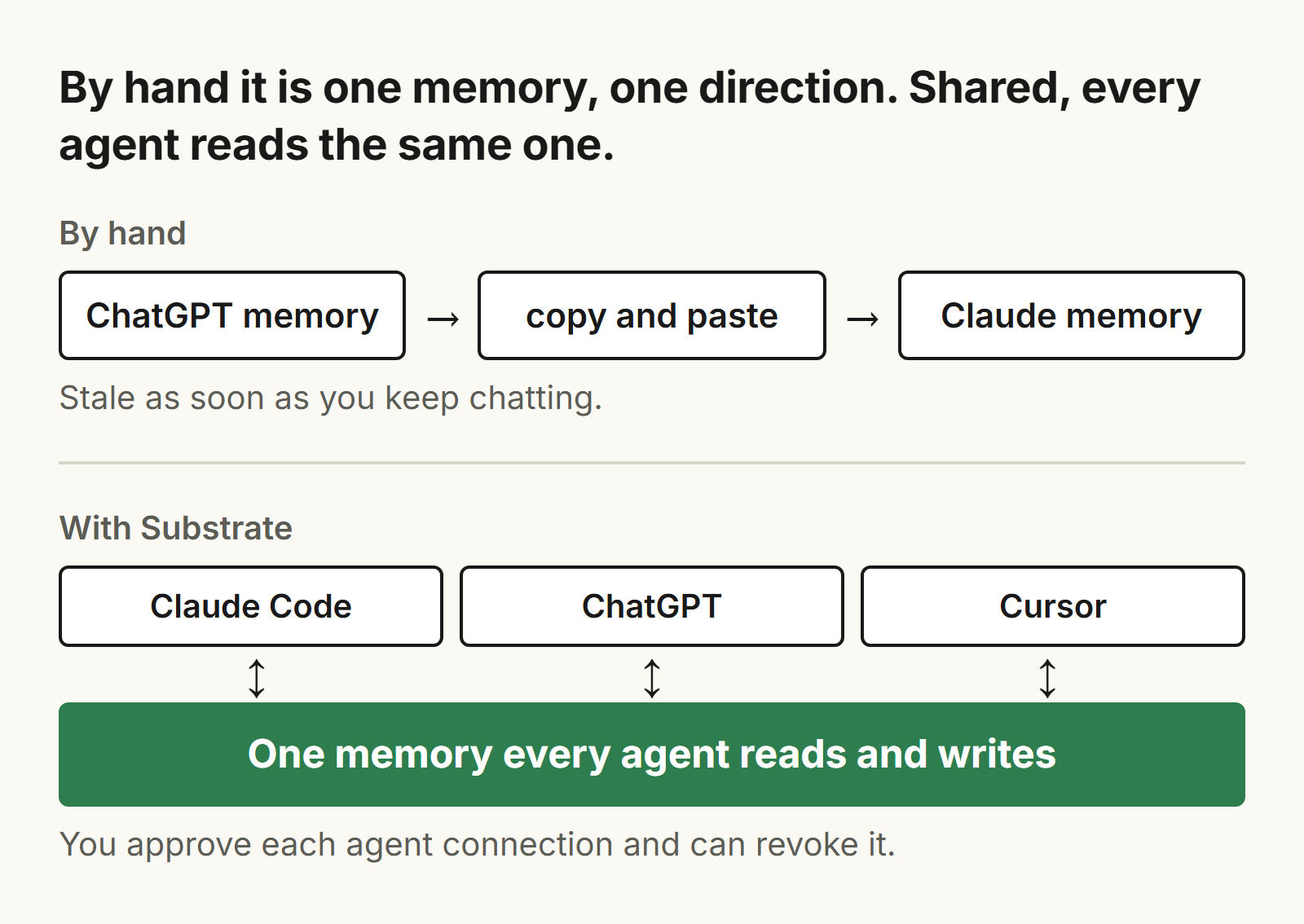
A better approach is one memory that every agent reads and writes. With Substrate (trysubstrate.co) your agents recall the same memory that you read and edit. Claude Code, Cowork, Codex and Hermes connect by plugin; claude.ai, ChatGPT, Cursor, OpenClaw and Grok CLI connect by MCP (how to connect). In ChatGPT you add https://app.trysubstrate.co/mcp as a custom MCP connector, if your plan allows custom connectors. As of November 5, 2026, OpenAI's help center lists custom MCP connections for ChatGPT on the web only, with full support on Business and Enterprise/Edu and read and fetch permissions for Pro; it does not mention Free or Plus. You approve each agent connection and can revoke it. Substrate can take in Gmail, Notion (read-only), WhatsApp where enabled, and uploads.
Do you need to carry context at all?
No, not if it is one person on one assistant, or if you always start from a fresh question. Built-in memory is enough for a small context: a role, your preferences, a writing style. It starts to hurt with three or more agents, or when a teammate needs what your agents know. For that case you can share a Substrate page with named people by email invite, view-only, and revoke it later.
Frequently asked questions
Is Claude better than ChatGPT?
As of November 2026, most comparisons say ChatGPT is the better all-rounder and Claude is better for writing, long documents and coding. The top of the public benchmarks has changed hands several times since September, so treat any answer as a snapshot.
Can I move my ChatGPT memory to Claude?
Yes, by hand. Run the import prompt from Anthropic's help page in ChatGPT, then paste the result into Claude under Settings > Your Claude > Start import. Anthropic calls memory import experimental and says Claude may not keep everything.
Can I export my ChatGPT data?
Yes, under Settings > Data controls > Export data. You get a ZIP with your chat history by email. It can take up to 7 days, the link is valid for 24 hours, and it is not available for Business and Enterprise workspaces.
Do I need to carry context between Claude and ChatGPT?
Not if it is one person on one assistant. It starts to hurt with three or more agents, or when a teammate needs what your agents know.