
What it reads
- The page you have open, on sites you turned on. On ChatGPT, Claude and Gemini that's the conversation on screen, your messages included.
- Text you select and save with right-click

Chrome extension
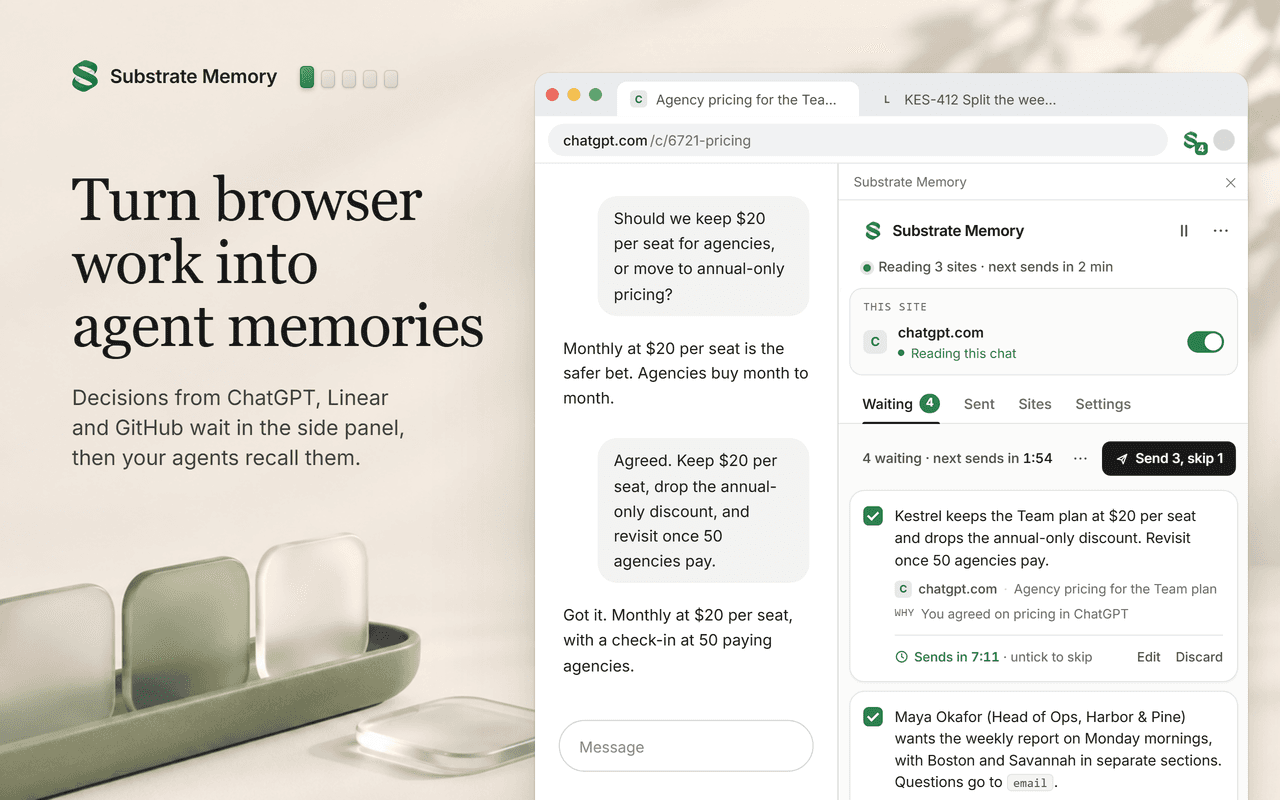
Turn on sites like ChatGPT or Linear. What you decide there becomes short memories, formed on your laptop. Your first 5 wait for your OK, then 10 minutes so you can untick any. Your AI agents recall them from Substrate.
Coming to the Chrome Web Store
Needs a Substrate account. 7 days free, no card, then $20 a month.
Example memory
Memory
Agreed to move the pricing page launch to Oct 30, after the onboarding fix ships.
A week later, in Claude
When does the pricing page go live?
ClaudeOct 30, after the onboarding fix ships.
It found the memory in Substrate.
Where memories go
Memories land in Substrate, a shared memory of your company that you and your agents both work from. Claude and your other AI agents connected to Substrate recall them.
How it works
It's off everywhere until you do. Chrome asks you for each site, and you can take it back any time.
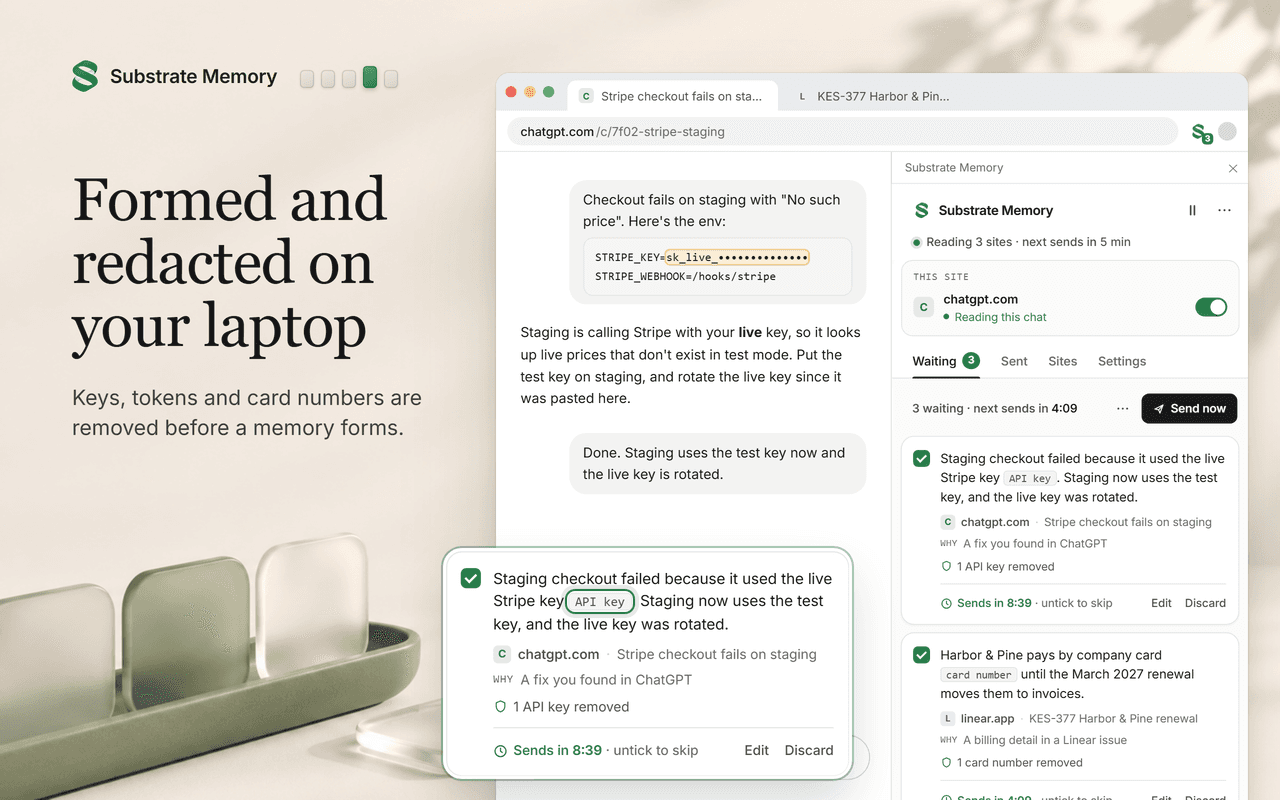
Chrome's built-in AI (or simple rules, if your laptop can't run it) writes short memories from the page you have open. The page itself stays on your laptop.
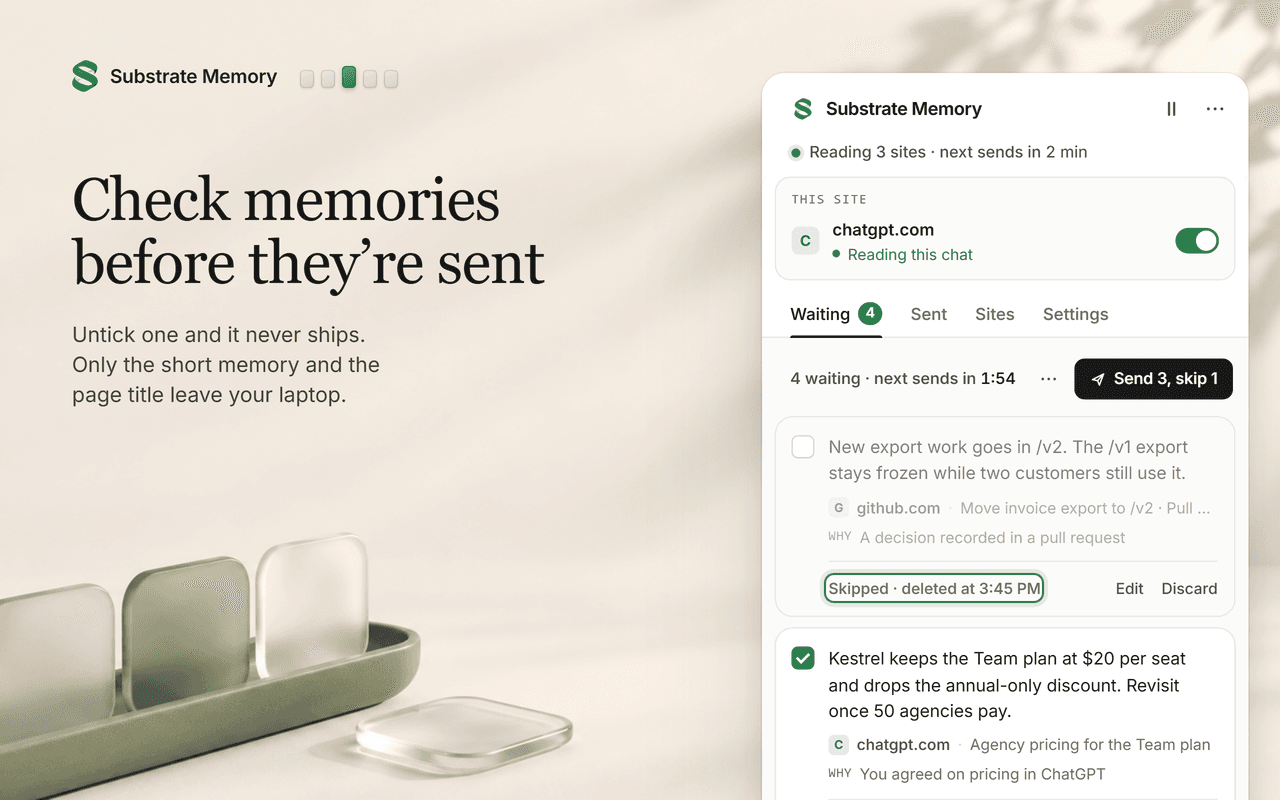
New memories wait in the side panel. Your first 5 wait for your OK. After that, the rest go to your Substrate after 10 minutes, or whenever you set.
The side panel
Your first 5 wait for your OK. After that, 10 minutes by default. If you don't open the panel, they're sent when the wait ends. Each one shows the text, where it came from and why it was formed. Edit or untick it, or send it now. Unticked memories are deleted from your laptop and never sent.
Choose when memories are sent:
Later, press Forget in the Sent tab and your agents stop recalling it.
Safety
No analytics or tracking, and no remote code. The code isn't minified, so you can read what it does.
Full policy: Chrome extension privacy
FAQ
Only the memories you send, with the title and domain of the page each one came from. Your browsing itself stays on your laptop.
These memories go to Substrate, so every agent you connect to it can recall them. A decision from a ChatGPT chat is there for Claude too.
Gemini Nano needs about 22 GB of free disk and 16 GB of RAM or a GPU with more than 4 GB. Without it, the extension uses simple rules on your laptop instead. Memories are rougher, but still formed locally. No page text goes to a server or cloud model.
No. They're private to your account. They don't appear on your pages, and sharing a page doesn't share them.
Any site you turn on. There are presets for ChatGPT, Claude, Gemini, Linear, Notion, GitHub, Jira and Confluence. On any other site, select text and right-click "Remember in Substrate".
It never reads password or payment fields, or text you're still typing. Known email and messaging sites are never read, even if you turn them on. If something private gets into a memory anyway, untick it before it's sent.
Yes. For an hour, until tomorrow, or until you turn it back on.
Unticked memories never leave your laptop. For sent ones, press Forget in the Sent tab and your agents stop recalling it. Substrate keeps a record of it. To have data deleted from your account, email pavel@trysubstrate.co. "Delete all local data" clears the extension.
The extension needs a Substrate account: 7 days free, no card, then $20 a month.
Coming to the Chrome Web Store
Needs a Substrate account. 7 days free, no card, then $20 a month.
Chrome on desktop. Not in incognito.